
Running · Walking
The running app that paints your pace on the map.
Made in the UK by Bolt Business Limited, company number 16864050 · No ads, no trackers
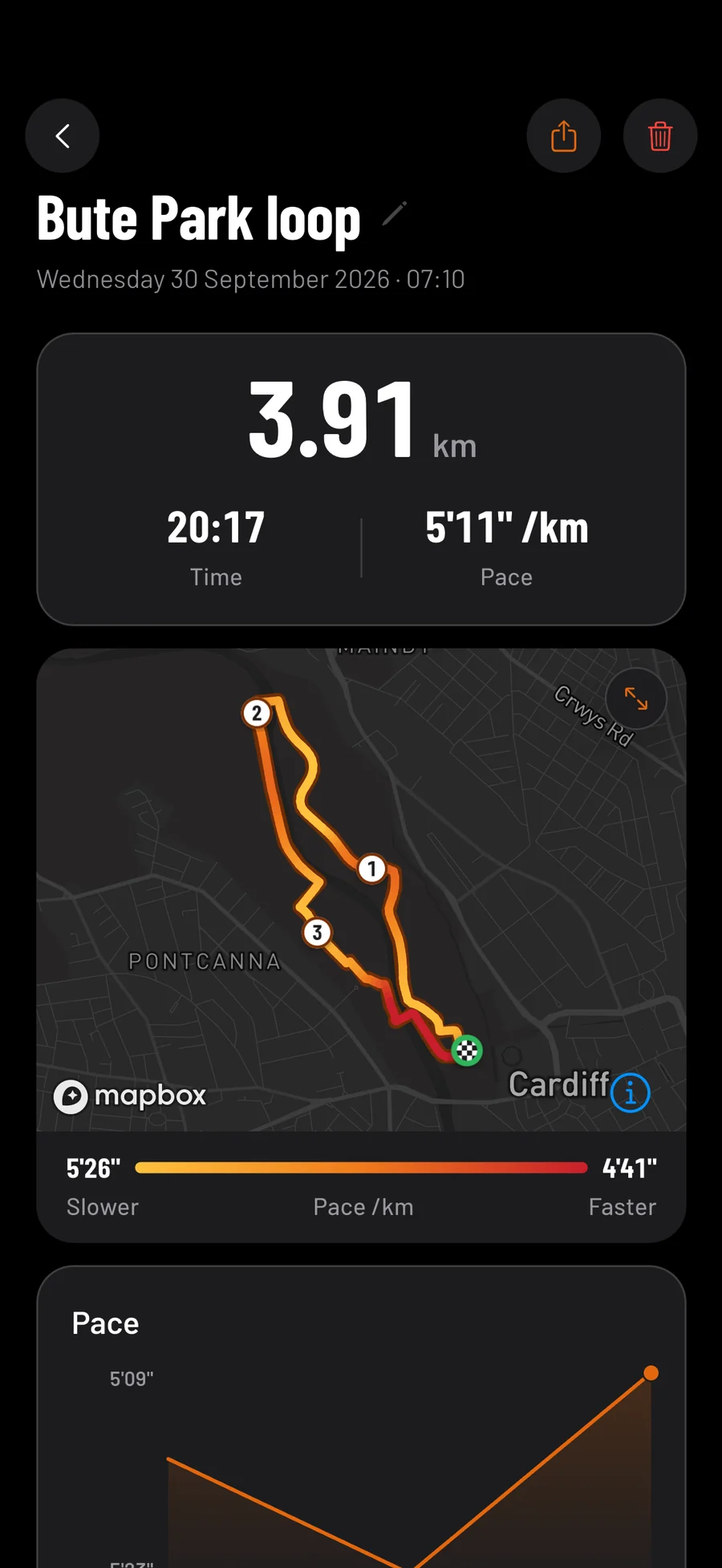
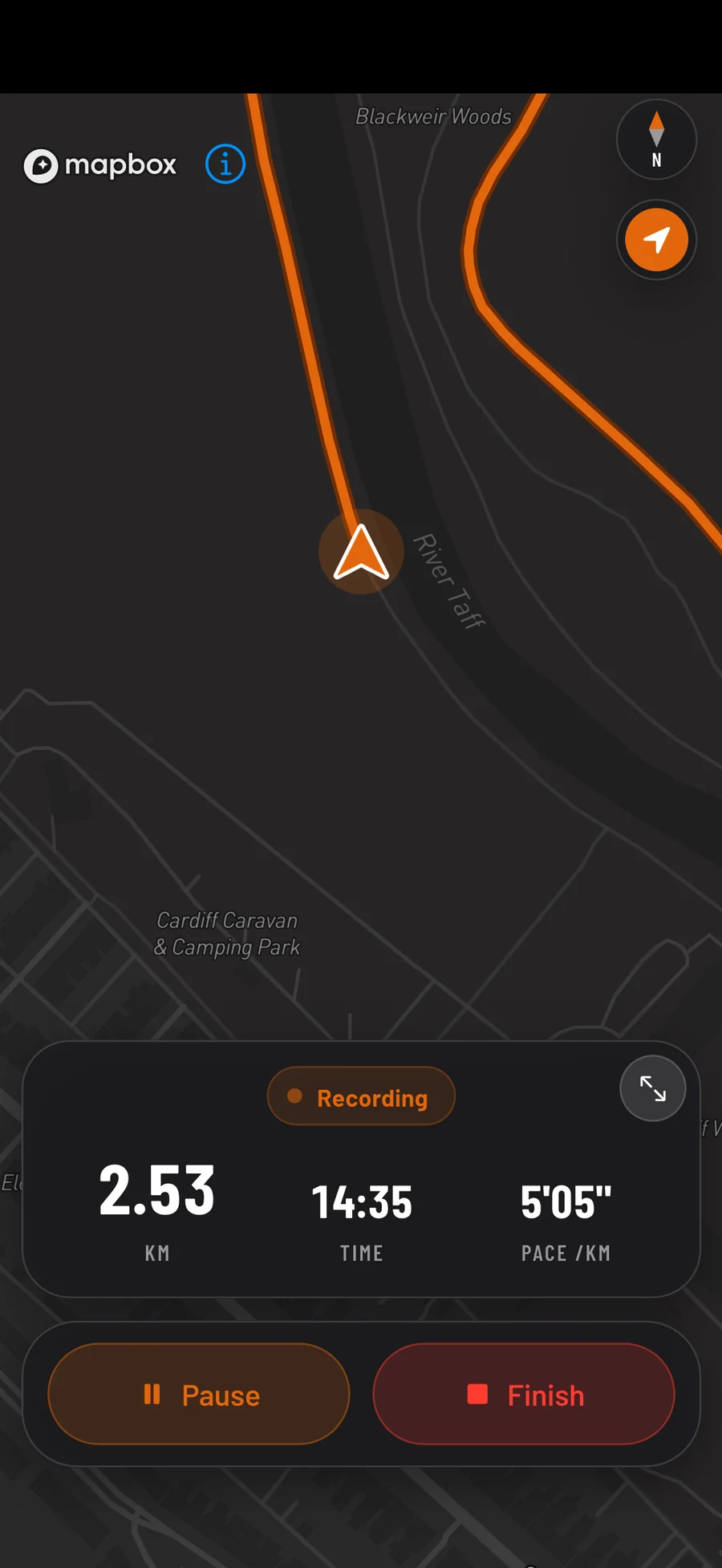
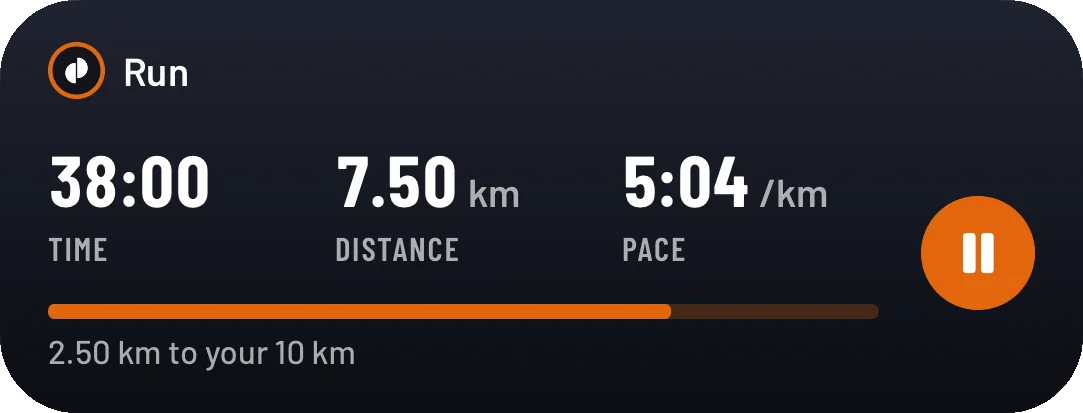
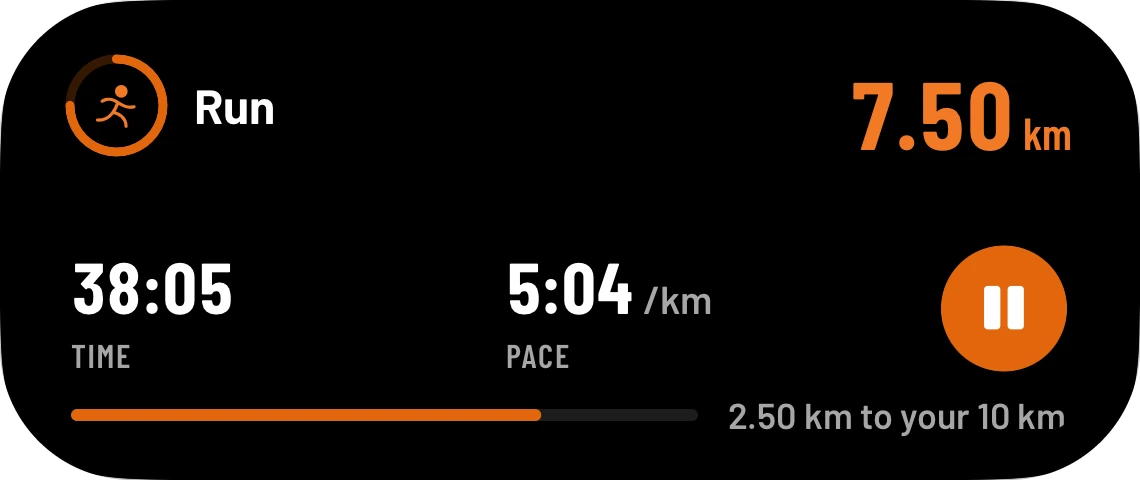
Health AI is a running app and GPS run tracker for iPhone. It records runs and walks with no mobile data needed, can speak your pace as you go and keeps the run on your Lock Screen. Afterwards, your route is coloured by pace.
- 3 days free
- Then £9.99 a month
- Cancel any time in your Apple account
Accuracy
How accurate is the distance?
As accurate as your iPhone's GPS, with the noise taken out. A phone standing still reports itself wandering by a few metres, and adding those up is how a coffee break turns into a few hundred metres. So Health AI only counts readings it can trust.
The five rules that keep your distance honest
| GPS reading | Health AI |
|---|---|
| Less sure than 25 metres | Thrown away. |
| The first of a run | Nothing is measured until one is within 12 metres. |
| A move under 5 metres | Ignored, so waiting at the lights adds nothing. |
| After 30 seconds without signal | The gap isn't counted as distance. |
| Faster than 43 km/h, or 18 km/h on a walk | Treated as a GPS error, not you. |
Precise Location has to be on.
If you lose signal, or the phone dies mid-run
Losing mobile signal costs nothing: GPS needs no data, so a run records anywhere your phone can see the sky.
The run is saved to your phone every 15 seconds, so a crash or a flat battery costs seconds rather than the run.
Your run on the Lock Screen, without unlocking
No ads or trackers, runs kept in London, and GPX to take them with you
Your runs stay yours.
No adverts or trackers
Nothing in the app follows you to other apps or websites.
Kept in London
Signed in, your runs and routes are copied to your account, stored in London.
Take them with you
The runs you record export as GPX, which Strava, Garmin and Komoot import.
- 3 days free
- Then £9.99 a month
- Cancel any time in your Apple account
Cancel at least 24 hours before the three days are up and you pay nothing.
What it records
What does the app record on a run?
Your distance, time and pace from the iPhone's GPS, and your climb from its barometer. Afterwards, the run's page draws your route coloured by pace, with each kilometre or mile numbered, charts your splits, names your fastest kilometre or mile, and compares the run with your earlier ones of a similar distance.
The coach reads your last 30 days of runs
The coach reads the last 30 days of runs and walks you logged (distance, time, pace, climb and steps) beside your food and training, but not runs from Apple Health.
Its answers can come with buttons: to Record, to a day's runs, or to the Run calendar and settings. It never starts or logs anything itself.
Lifting too? The workout tracker keeps your sets here, and the protein tracker counts what you eat. Losing weight as well? See the weight loss tracker. See everything Health AI does.
Every setting for a run, and what it does
| Setting | What it does |
|---|---|
| Voice cues | Off by default. Distance, time and average pace every 500 m, 1, 2 or 5 km (or ½, 1, 2 or 5 miles). |
| Auto-pause | Off by default. Stops the clock after 12 seconds standing still, and restarts it after 15 metres. |
| Run or walk | A walk shows speed instead of pace, and counts steps if you allow Motion & Fitness. |
| Distance goal | A bar fills towards it, in the app and on the Lock Screen, and voice cues say when you reach it. |
| Units | Kilometres or miles, from your pace to the markers on the map. |
A run's goal is set from Goal on Record, starting from the Activity goal in Run → Settings.
What is the best running app for beginners?
One that makes each run easy to record and shows you getting better. Health AI compares every run with your earlier ones of a similar distance, but it has no training plans built in: nothing plans your week or times your intervals. Starting from nothing? Pair it with the NHS's free Couch to 5K.
Couch to 5K, and how much running the NHS advises
Couch to 5K takes you from the sofa to running 5 km in nine weeks, three runs a week, and Health AI records each run.
The NHS advises adults to do at least 150 minutes of moderate activity a week, or 75 minutes of vigorous activity. Running counts as vigorous, so three 25-minute runs reach it.
From the NHS's physical activity guidelines for adults and its Couch to 5K page.
What it doesn't do, from training plans to offline maps
| If you want | Health AI |
|---|---|
| Training plans | No built-in plans. The coach can talk one through; pair it with Couch to 5K. |
| Heart rate | Only on runs that come with it, such as a watch's runs from Apple Health. An iPhone can't measure it. |
| Treadmill runs | Added by hand in Run → Settings, with no map. |
| Cycling or swimming | No. Runs and walks only. |
| Automatic Strava sync | No. Strava imports the GPX export. |
| Offline maps | No. The map needs a connection; the run doesn't. |
One run, start to finish
A 5 km run, as the app records it.
Follow one 5 km run from start to finish
Questions
Running app questions, answered.
Is there a free running app?
Plenty are free, often with adverts or a paid tier. Health AI is three days free, then £9.99 a month, with no adverts. If you stop paying, recording runs keeps working.
Do I need signal to track a run?
No. GPS needs no mobile data, so a run records anywhere your phone can see the sky. Only the map needs a connection.
How do I cancel the free trial?
In your iPhone's Settings → your name → Subscriptions. Cancel at least 24 hours before the three days end and you pay nothing.
Does it work with Apple Watch?
Yes, though the watch app is new and still being tested. It shows a run started on your iPhone, with pause and finish buttons, and can record runs itself, with your heart rate.
Can I export my runs to Strava or Garmin?
Yes: the runs you record export as one GPX file, which Strava, Garmin Connect and Komoot import, without heart rate or automatic sync.
Coming to the App Store in the UK, for iPhone with iOS 17 or later. Screens show sample data.
Every kilometre, painted in.
Runs, food and training in one app, with a coach that reads your last 30 days of all three.
- 3 days free
- Then £9.99 a month
- Cancel any time in your Apple account
Cancel at least 24 hours before the three days are up and you pay nothing.