
Nutrition · Training · Running · Coach
One app instead of four.
Your food, your training and your runs in one place — and a coach that has read all three before you ask.
- 3 days free
- Then £9.99 a month
- Cancel any time in your Apple account
Made in the UK by Bolt Business Limited, company number 16864050.
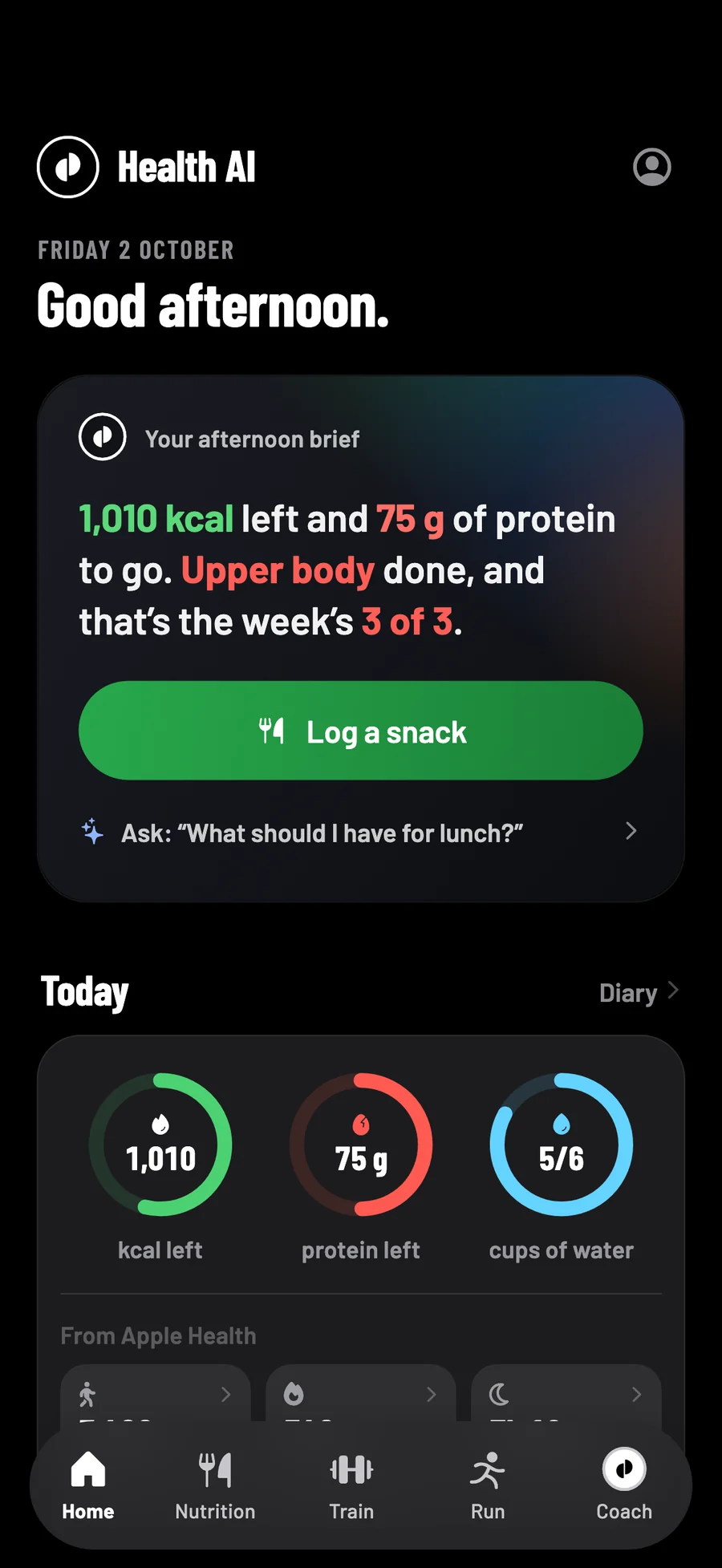
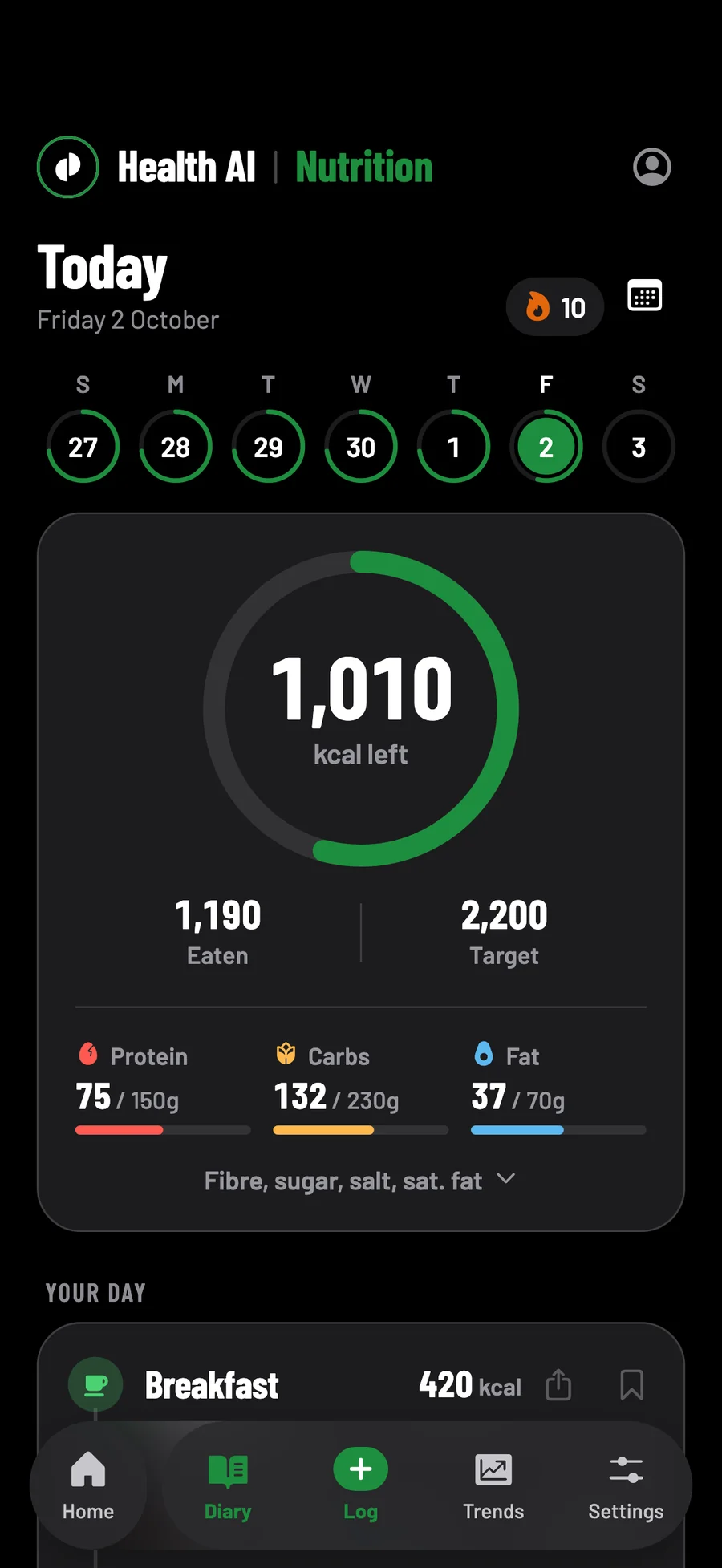
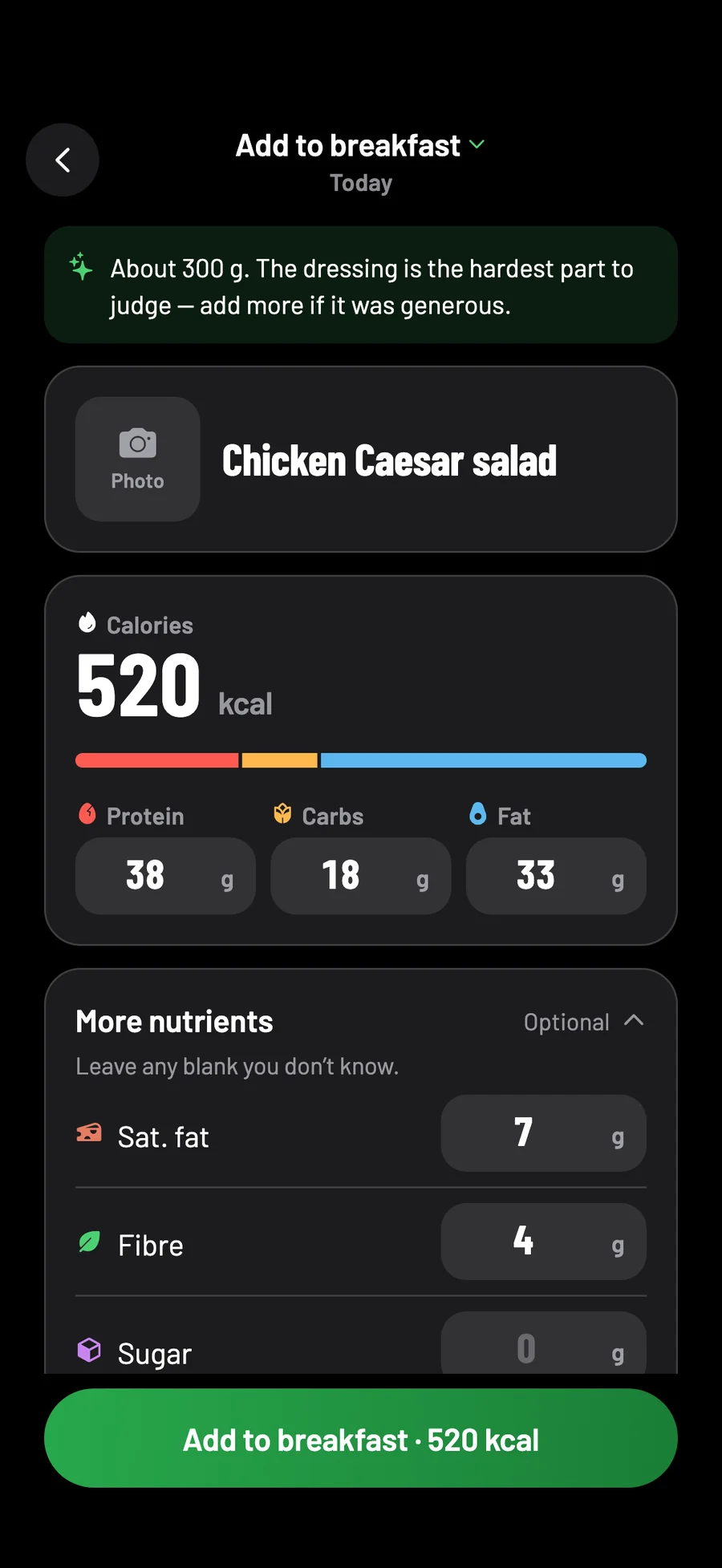
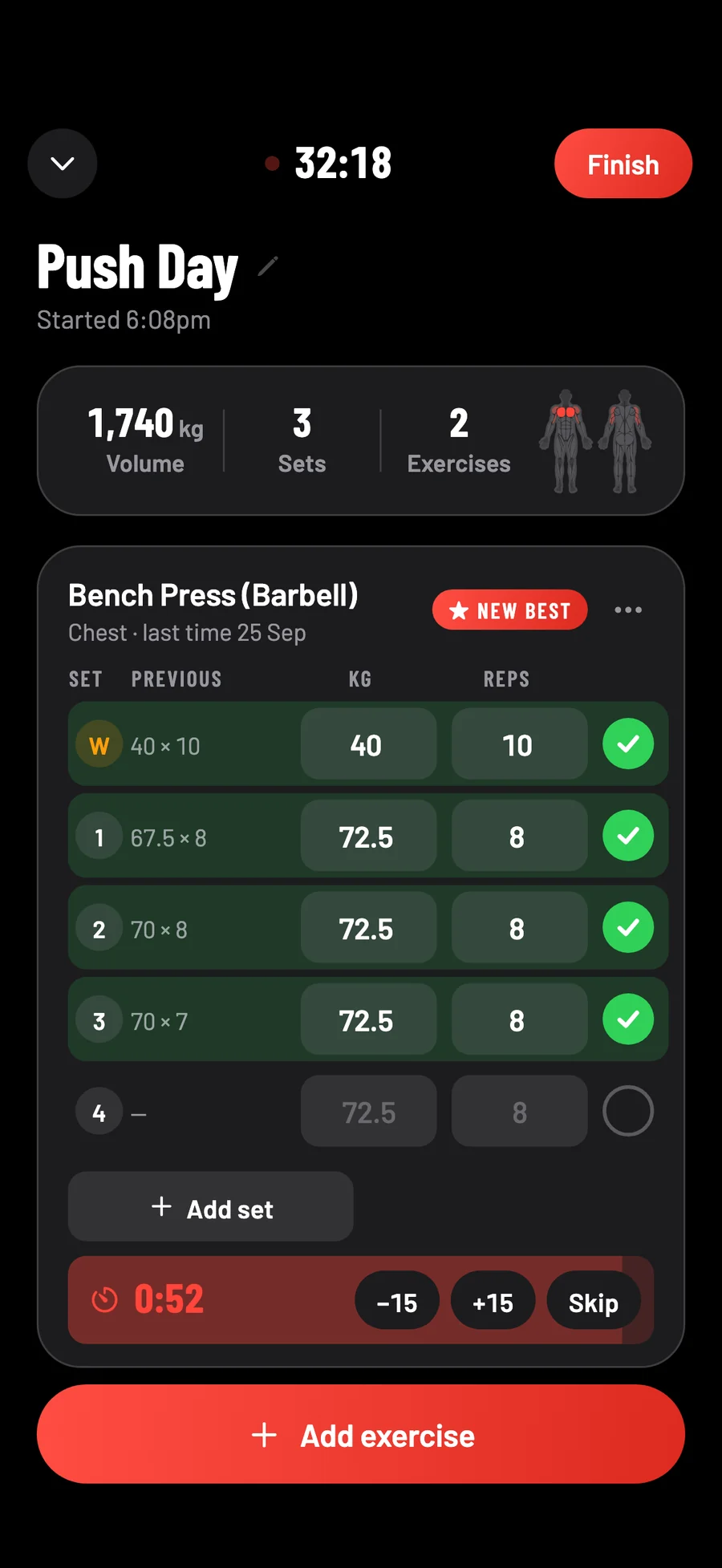
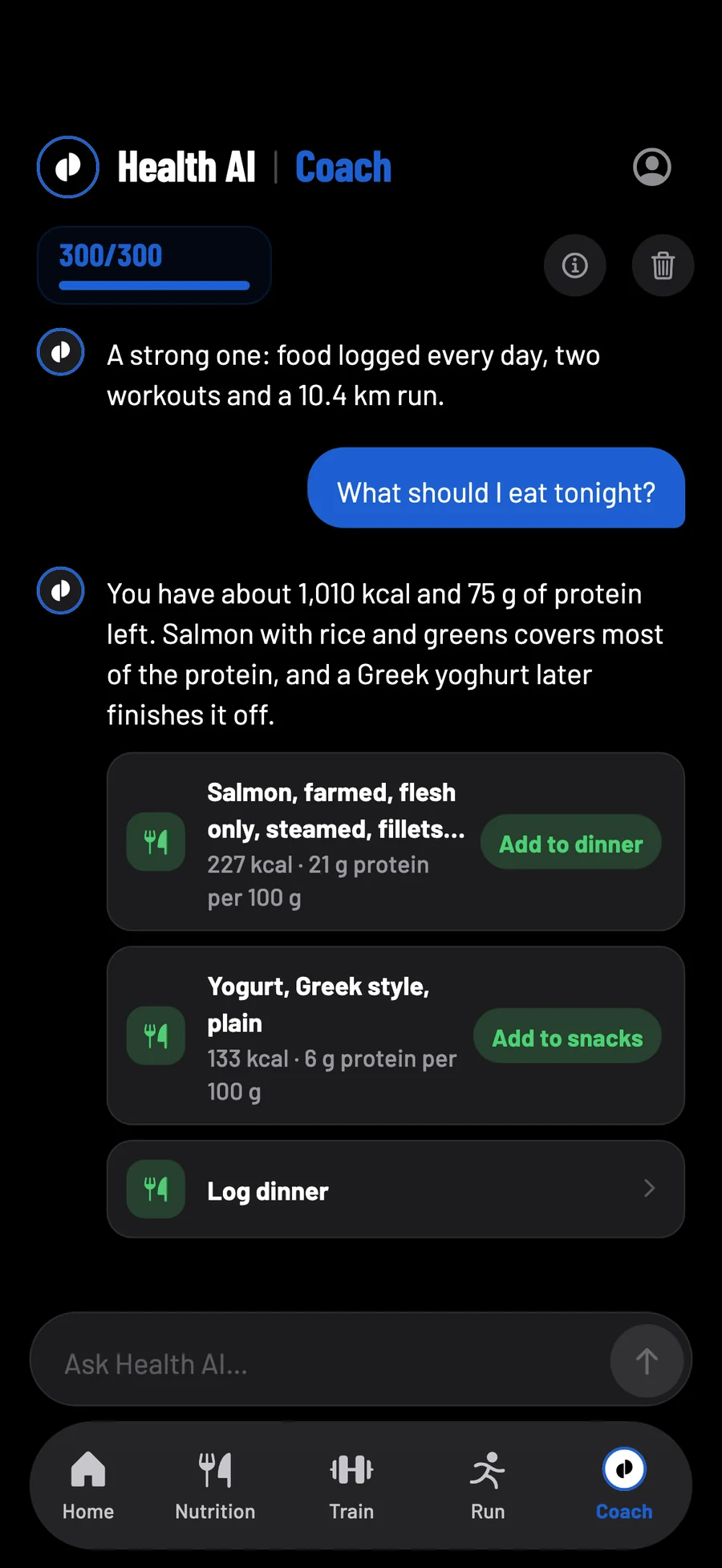
Your day, as a brief. What is left, what is next, and one button for it.
The problem
Four apps that never talk to each other.
One counts your calories. One counts your sets. One draws your runs. A fourth is a chatbot you paste it all into, which has read none of it. So none of them can tell you the thing you actually needed to know.
Four apps
- Your lifts stalled. Nothing tells you it was the fortnight you ate four hundred under.
- Sunday's run felt awful. Nothing connects it to three nights of five hours' sleep.
- Four subscriptions, four sign-ins, four privacy policies.
- Ask any of them "how am I doing?" and it answers from a quarter of the picture.
One app
- Food, training, runs and sleep on one timeline.
- A coach that reads all of it before it opens its mouth.
- One subscription, one account, one export button per section.
- Ask "how am I doing?" and it answers from everything.
| Feature | A calorie counter | A gym log | A running app | A chatbot | Health AI |
|---|---|---|---|---|---|
| Food diary, macros and barcodes | |||||
| Meal scan from a photo | Some | ||||
| Sets, reps and personal records | |||||
| GPS runs with pace and splits | |||||
| Answers your questions | |||||
| Has read your food, training and runs |
Kinds of app, not particular ones — plenty of good apps do one of these well. Health AI is the one that does all of them, in one place.
meal scans a month, from a plate or a label — barcodes don't count
messages a month with a coach that knows your logs
days free to try all of it, once per account
adverts or trackers, in the app or on this site
Nutrition
Know what's left, at a glance.
Your targets are not a guess. Calories come from your height, weight, age, sex and how often you train — the Mifflin–St Jeor equation, scaled for the weekly pace you picked. Protein is set by your weight, carbs and fat share the rest, and they move when your weight does.
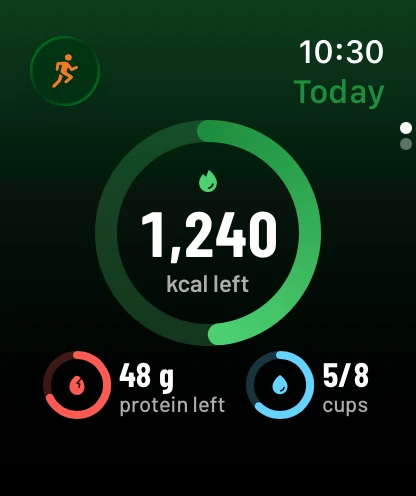
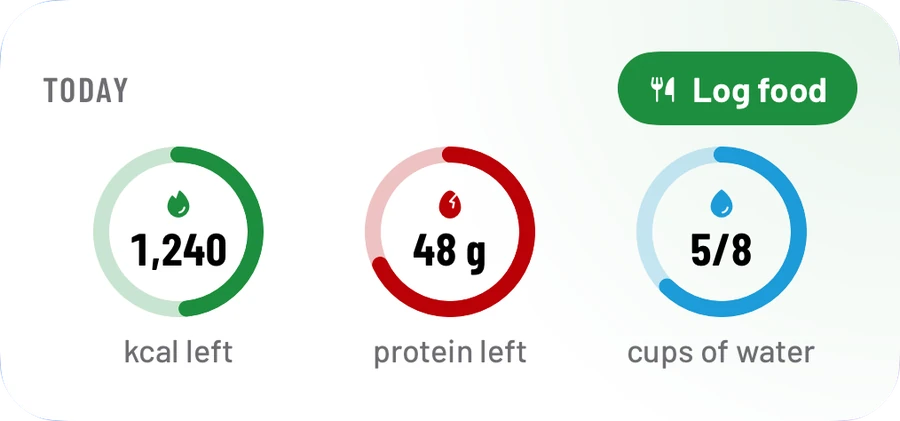
Log a meal and three rings say what is left: calories, protein and water. UK foods come from the government's own food tables, packaged ones from their barcode.
- UK foods from CoFID
- Barcodes
- Saved meals
- Fibre, sugar and salt
See how the calorie counter, macro tracker, protein tracker and weight loss tracker work.
Meal scan
Photograph it. Don't type it.
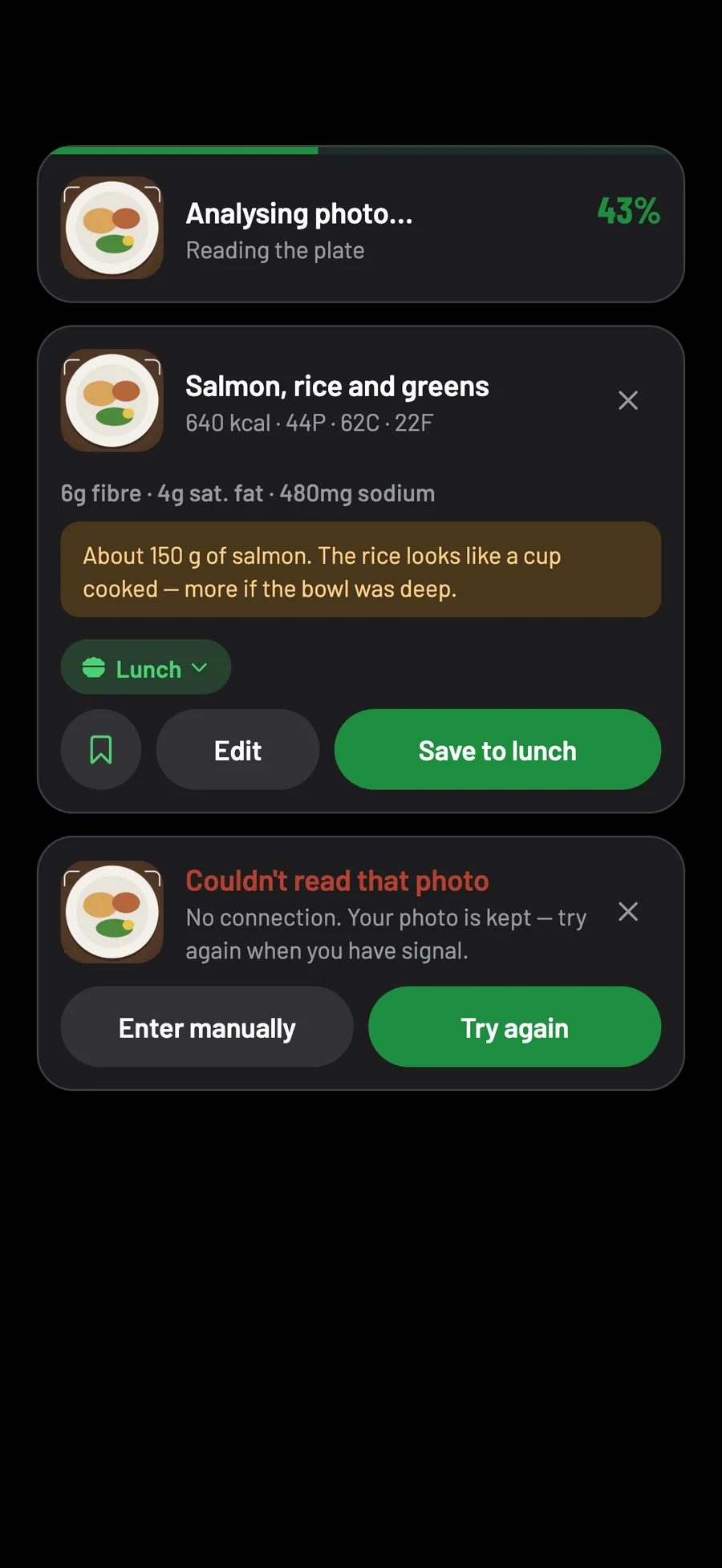
The slowest part of tracking food is typing it in. Photograph the plate instead and the name, calories, protein, carbs and fat come back filled in, as an estimate you can adjust — no typing, no searching.
Scans come with a note on what was hardest to judge — "the dressing is the hardest part to judge" — so you know when to check the portion.
A plate
Each part is read separately — the protein, the starch, the sauce — and the portions judged against whatever is beside them.
A label
Point it at the nutrition panel and the figures are read off it, fibre, sugar, salt and saturated fat included, for you to check before you save.
A barcode
Scanned straight against a database of hundreds of thousands of products, with no AI needed and no allowance spent.
Training
Every set, and what it added up to.
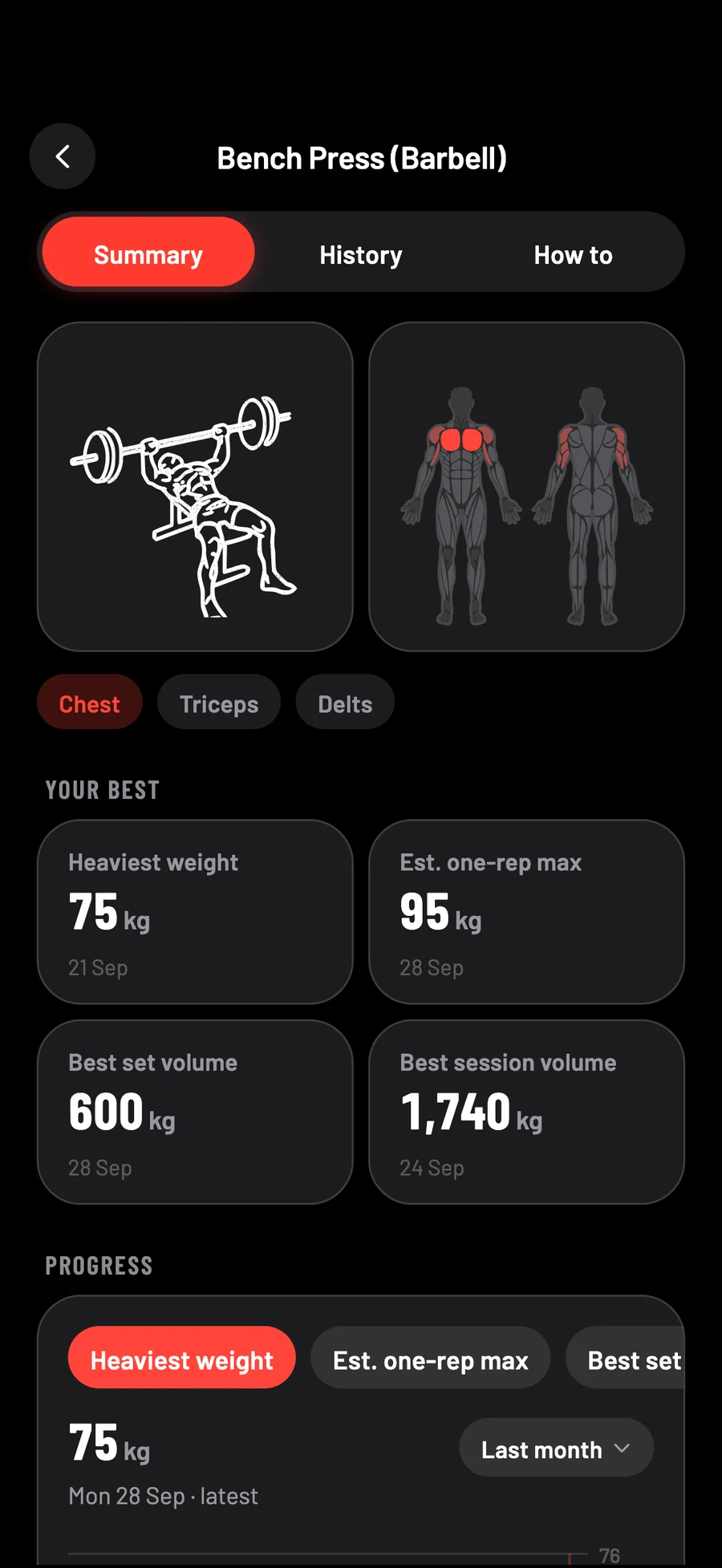
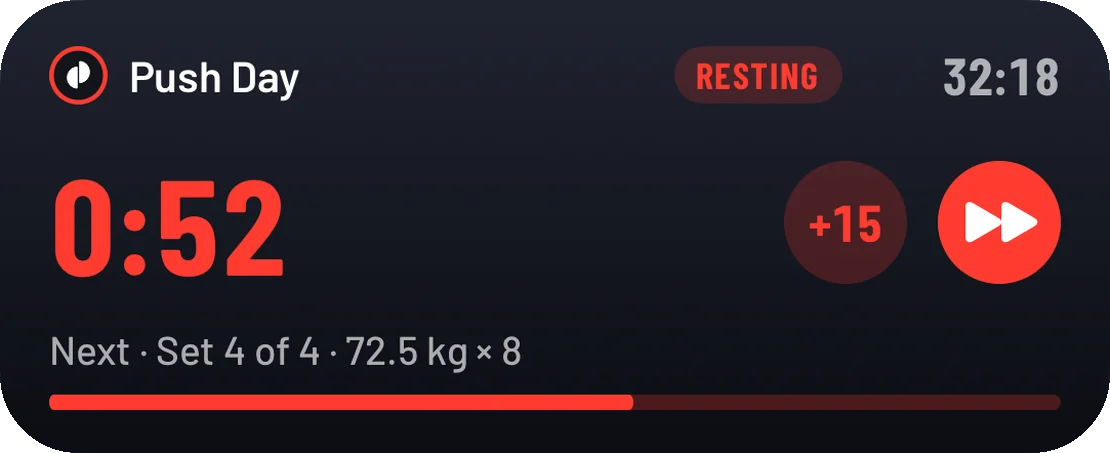
Build routines or start from nothing, and log as you lift: last time beside this time, a rest timer that carries on from your Lock Screen, and a new best called out the moment it happens.
Nearly 300 exercises, most of them drawn step by step, each with the muscles it works — and your volume, estimated one-rep max and records charted as you go.
- Routines
- Rest timer
- Personal records
- Muscle map
Running
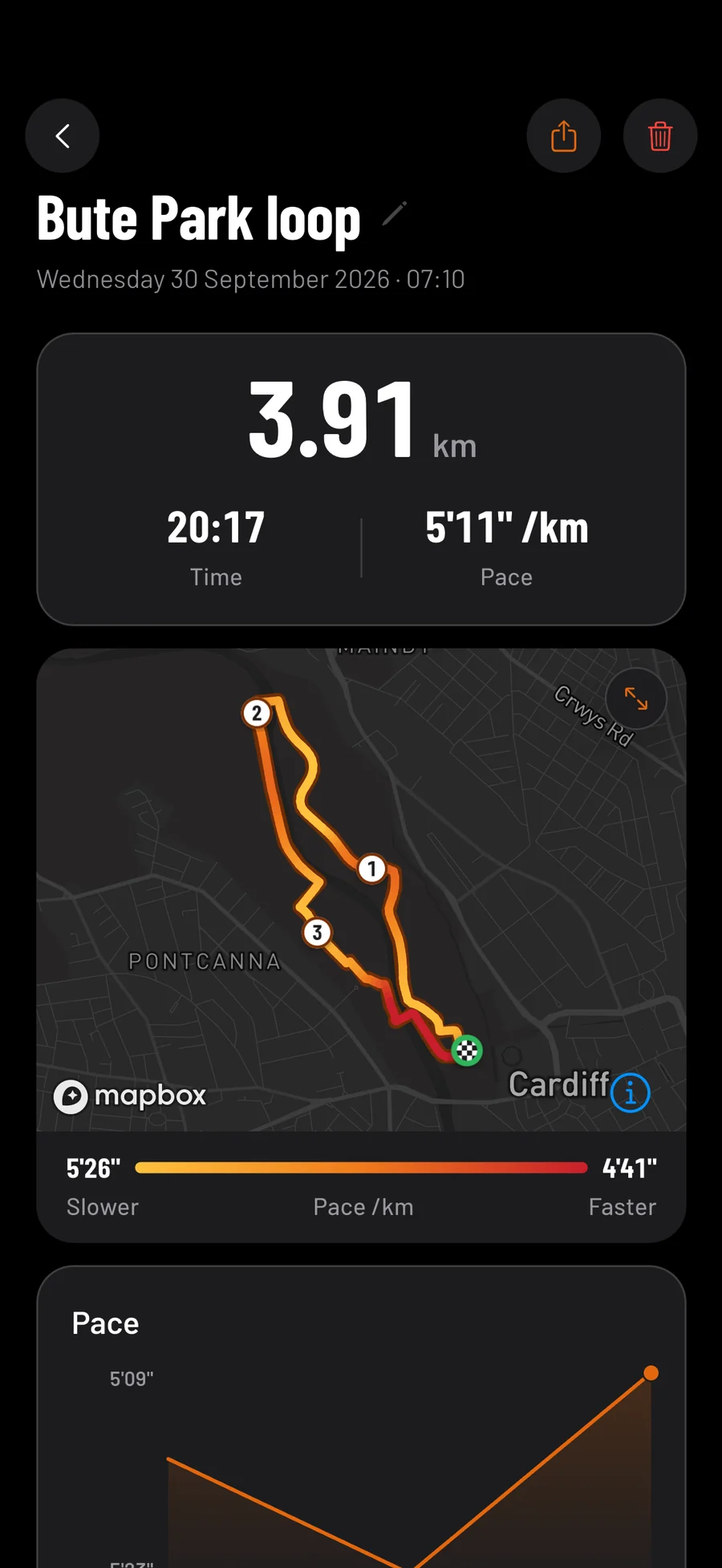
Your route, with your pace painted on it.
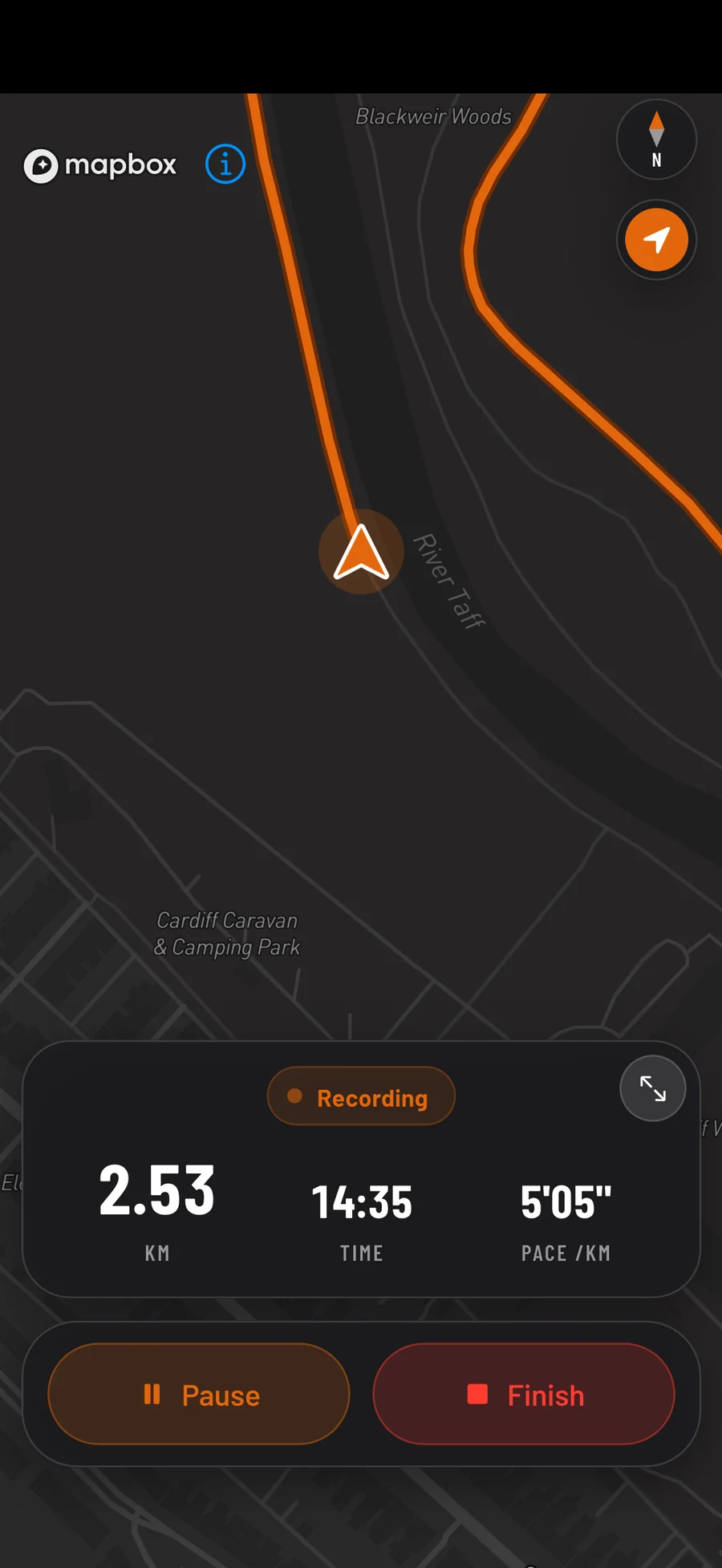
A live map while you run, kilometre splits and voice cues in your ear, and auto-pause at the lights. Afterwards, the whole route coloured by pace, so you can see where you flew and where you faded.
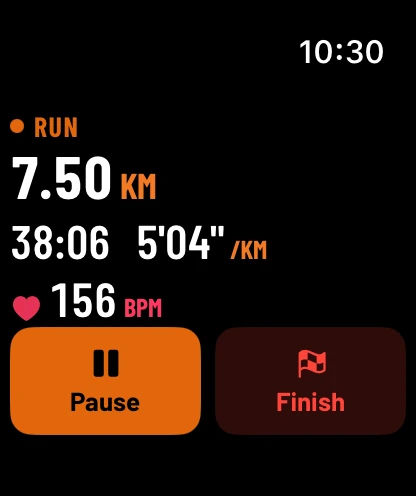
Runs and walks can also be recorded on your Apple Watch, with its own GPS and your heart rate, and sent to your phone. The watch app is new and still being tested.
Runs from other apps come in through Apple Health. The ones you record here export as GPX, which Strava, Garmin and Komoot all read; the file has your route but not your heart rate.
- Voice cues
- Auto-pause
- Elevation
- Heart rate from a watch
- GPX export
The coach
It has read everything before you ask.
Most fitness chatbots only know what you type into the box. This one is handed your targets, your food day by day, your workouts and runs, your weight trend and — if you allow it — your steps and sleep from Apple Health. So it answers about you.
And it does more than talk. Answers come with buttons: log the meal, add the food it suggested, save the routine it wrote, open the run you asked about.
It is not a doctor or a dietitian, and it says so.
Dynamic Island, Lock Screen and Apple Watch
Halfway up a hill, you don't want to unlock anything.
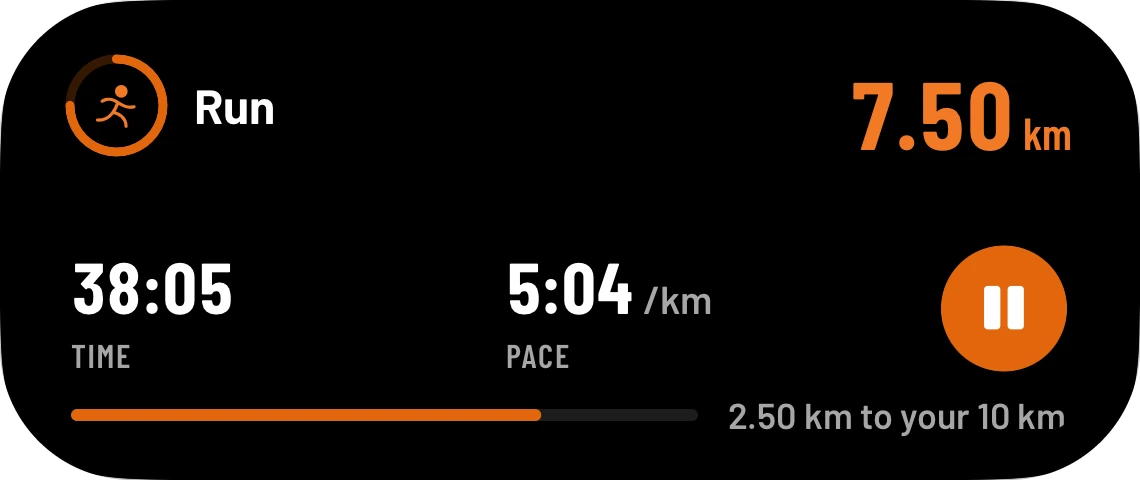
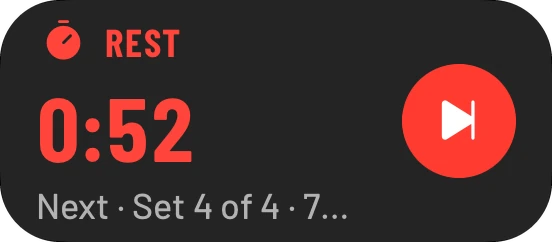
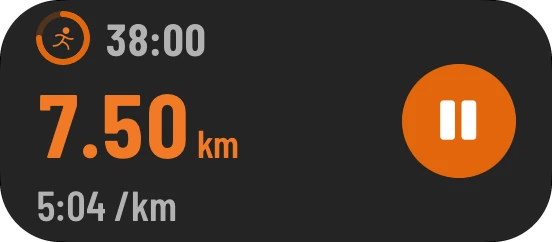
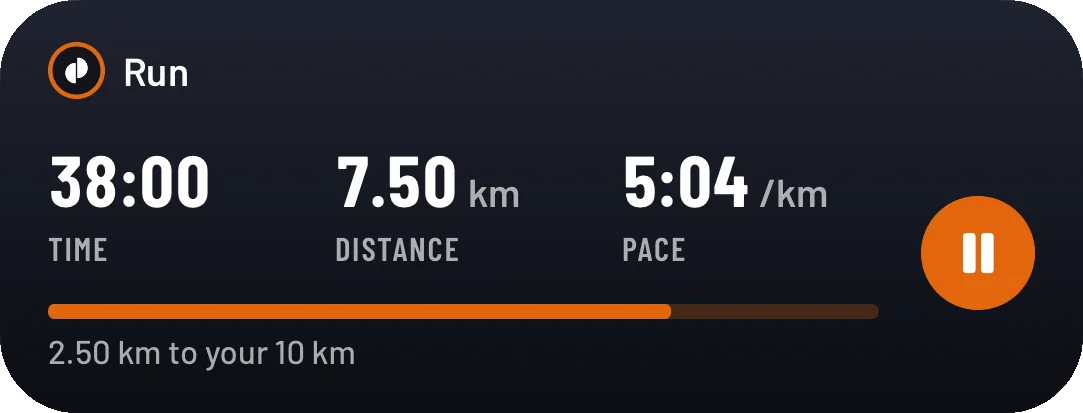
Start a run or a workout and it follows you: into the Dynamic Island while you are in another app, and onto the Lock Screen while the phone is in your pocket. Pause the run, add fifteen seconds or skip the rest — without unlocking. On the watch, a workout is only a card in the Smart Stack and, with rest alerts on, a tap when a rest ends.

Widgets
Your day, on your Home Screen.
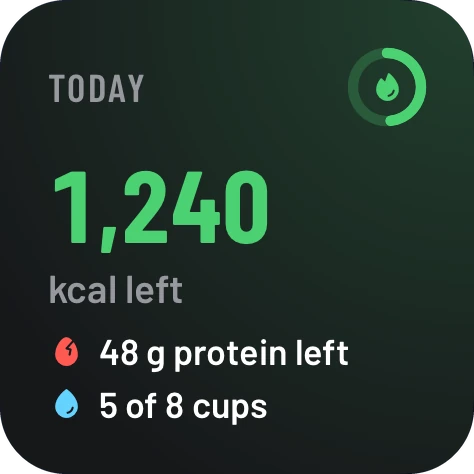
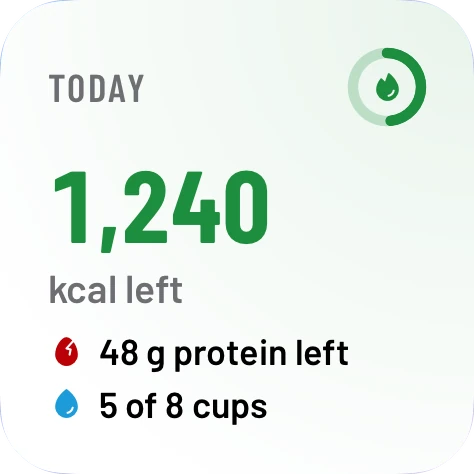
The same rings as the app, in three sizes and on the Lock Screen — and a Log food button that opens straight to logging. The large size adds your macros and your streaks.
They suit dark mode, and the tinted and clear Home Screens too.
Privacy
Yours. Plainly said.
On your phone first
Everything you log is written to your phone first, so logging needs no signal, and nor does searching the built-in foods. Scanning, the map and the coach do.
No adverts or trackers
Nothing in the app follows you to other apps or websites, and this website loads nothing from anyone else.
Kept in London
Signed in, your logs are copied to your account, stored in London, so a new phone gets them back.
Take it with you
Every section exports — the runs you record as GPX, food and workouts as JSON — and you can delete your account from Settings.
Read the privacy policy — written from what the code really does, not from a template.
Pricing
Three days free. Then one subscription instead of four.
One plan, with everything on this page in it. No higher tier, and nothing held back.
Starts with three days free. Cancel in your Apple account at least a day before they are up and you are not charged at all.
- Meal scanning — 200 AI scans a month
- The coach — 300 messages a month
- Workouts, routines and personal records
- GPS runs with splits, voice cues and maps
- Apple Watch, the Lock Screen, the Dynamic Island and widgets
- Every section exports, whenever you like
How the free trial works
- Today
Everything unlocks, with 30 scans and 50 coach messages to try it with. You are not charged.
- Two days in
The last moment to cancel, in your Apple account, and pay nothing at all — Apple needs a day's notice before a trial ends.
- Three days in
The trial ends and £9.99 a month begins, renewing monthly until you cancel.
The free trial is three days, once per Apple ID. Subscriptions are billed by Apple, not by us, and renew automatically unless cancelled at least 24 hours before the end of the current period — on your iPhone, under Settings → your name → Subscriptions. If you stop paying, logging by hand and scanning barcodes keep working and everything you logged stays yours; meal and label scans and the coach need the subscription.
Questions
Questions people ask.
Where do my calorie and macro targets come from?
Calories come from your height, weight, age, sex and activity level: the Mifflin-St Jeor formula estimates what you burn at rest, scaled for how often you train, then adjusted for the weekly pace you picked. Change any of those in Profile & body stats and the targets move with them; if you set a target yourself, the app asks first. Protein is set from your weight and your macro split, and carbs and fat share the rest.
Does it work without signal?
Mostly. Everything you log is written to the phone first, so your diary, your history, your routines, logging a food you have saved before and searching the 10,647 foods built into the app all work with no connection at all — and runs record by GPS, which needs none either. What does need the internet is anything that has to go and ask: searching for packaged and branded foods, scanning a barcode or a meal, the map drawing itself, and asking Health AI a question. Your run is still recorded while the map is blank. Anything logged offline is copied to your account the next time you open the app with a connection.
What can Health AI see when I ask it something?
A summary of your recent logs, so it can answer about you rather than in general: your targets and body details, what you've eaten, your workouts and routines, your water, your runs and walks, and your weight trend — and, from Apple Health if you allowed it, your steps, active calories and sleep. Never the maps of your runs. It can't see anything else, and nothing outside this app.
Is Health AI a doctor or a dietitian?
No. It's a coach built on general guidance, and it can be wrong. Anything medical — an injury, a condition, a medication, an eating disorder — is for a professional, not an app.
How do I get my data out?
All three sections export, each from its own Settings tab. The runs you record go out as GPX, which Strava, Garmin and Komoot all import; the file has your routes but not your heart rate. Food and workouts go out as JSON.
Your whole day, finally in one place.
Food, training, runs, and a coach that has read all three — in one app on your iPhone.
- 3 days free
- Then £9.99 a month
- Cancel any time in your Apple account